
Environment provider benchmark
Thirty provider outputs, including ComfyUI cleanup, native-grid limits, final-palette refinement, and measured quality findings.
This benchmark compares PixelLab and Retro Diffusion on five game-art briefs, with a four-brief ComfyUI extension using a named SDXL stack. Three briefs use 256×256 output; two use 384×384 to test larger buildings and environment backgrounds. The hosted providers have two attempts per brief. ComfyUI has one baseline and one post-processed attempt on each supported brief. Prompt text and seed numbers match, but seeds are not portable between models.
This tests the adapters PixelKiln ships, not every model or endpoint each provider sells.
Scenario's first paid run uses a different brief, so it is recorded separately as an integration smoke instead of being presented as a fourth comparable result.
Setup
| Brief | PixelLab route | Retro Diffusion style | Intended output |
|---|---|---|---|
| Mountain observatory | map, high top-down view | rd_plus__isometric_asset | Isolated building on a snowy ridge |
| River gate | map, low top-down view | rd_plus__topdown_asset | Isolated landmark spanning water |
| Alpine valley | pixflux, background kept | rd_plus__environment | Full scenic background |
| Cliffside fortress | map, high top-down view | rd_plus__isometric_asset | Large isolated building complex |
| Volcanic pass | pixflux, background kept | rd_plus__environment | Full scenic background with reusable depth planes |
Both manifests use seeds 31415 and 27182. The provider-specific route or
style is allowed to do its job. No image was picked, edited, cropped, or
post-processed.
PixelLab rejected view: "isometric" on the map endpoint with HTTP 422. The
successful observatory attempts use the supported high top-down view while
the shared prompt still asks for an isometric three-quarter view. This is a
real adapter constraint, so the benchmark records it instead of hiding it.
The committed manifests and lockfiles are here:
- PixelLab manifest
- PixelLab lockfile
- Retro Diffusion manifest
- Retro Diffusion lockfile
- ComfyUI benchmark project
- ComfyUI manifest
- ComfyUI lockfile
Mountain observatory
Prompt: a compact stone observatory built into a snowy mountain ridge, isometric three-quarter view, cedar roof, warm windows, isolated with no scenery
| PixelLab A | PixelLab B | Retro Diffusion A | Retro Diffusion B |
|---|---|---|---|
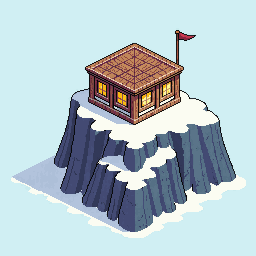 | 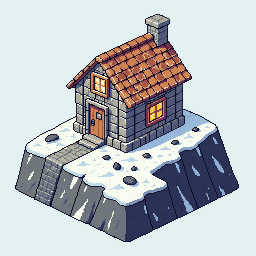 | 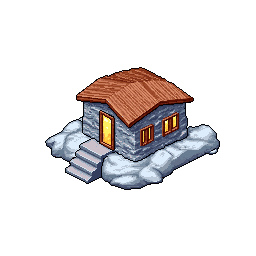 | 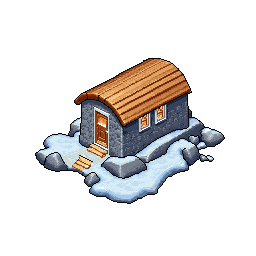 |
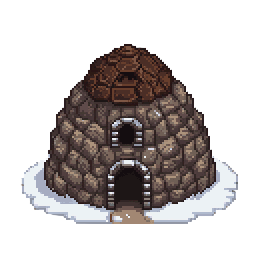
PixelLab followed more of the brief. Both attempts place a substantial stone building on a snowy ridge, and the first reads as an observatory. Retro Diffusion produced tidy cutouts, but both are small cabins on snow-covered rocks. The observatory and mountain-ridge ideas mostly disappeared.
The trade-off is file readiness. Retro Diffusion removed the background and used 35 and 36 colors. PixelLab returned opaque pale backgrounds and used 264 and 266 colors. PixelLab wins prompt coverage. Retro Diffusion needs less cleanup before placement in a game map.
River gate
Prompt: a fortified village gate spanning a narrow river, three-quarter top-down view, stone towers, timber bridge, isolated with no scenery
| PixelLab A | PixelLab B | Retro Diffusion A | Retro Diffusion B |
|---|---|---|---|
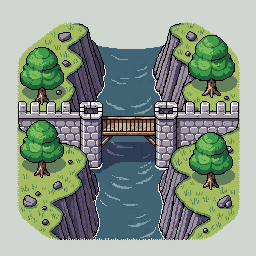 | 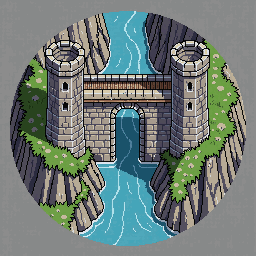 | 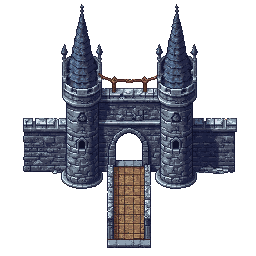 | 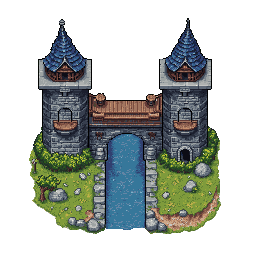 |
All four results are usable concepts. PixelLab shows more of the surrounding riverbank and makes the bridge-water relationship obvious. Its outputs are opaque scene patches. Retro Diffusion gives cleaner standalone fortifications. Attempt B carries water through the gate; attempt A reads more like a drawbridge than a river crossing.
PixelLab again follows the whole brief more reliably. Retro Diffusion is easier to drop onto an existing map because its outputs have 56% to 64% transparent pixels. The Retro Diffusion files also stay between 43 and 47 colors, compared with PixelLab's 226 to 240.
Alpine valley background
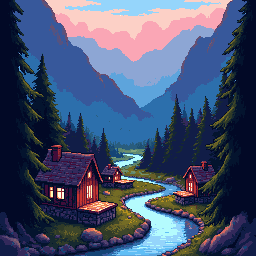
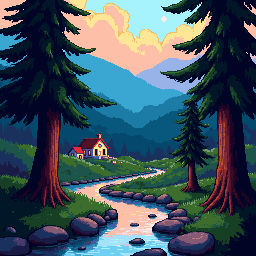
Prompt: a wide alpine valley at dusk, layered mountains, pine forest, winding river, small warm-lit village, full-bleed scenic background
| PixelLab A | PixelLab B | Retro Diffusion A | Retro Diffusion B |
|---|---|---|---|
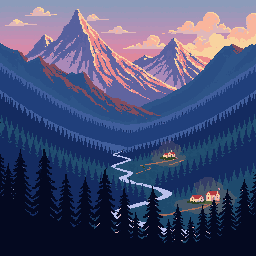 | 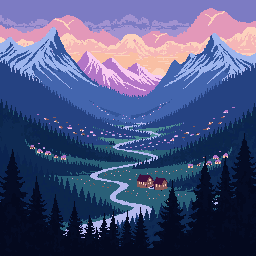 |  |  |
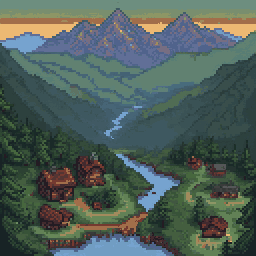
PixelLab's Pixflux route is the surprise here. Both results preserve the wide valley, layered mountains, dusk light, winding river, and tiny settlement. They also use only 22 and 38 colors. The shapes read cleanly at native size.
Retro Diffusion put more detail in the foreground and used more conventional depth. They feel like places the player could enter, but the framing narrows the valley and pushes the result toward illustration rather than a reusable background layer. They use 37 and 46 colors.
For this brief, PixelLab wins on prompt coverage, graphic clarity, consistency, and cost. Retro Diffusion wins if the desired result is a closer, more cinematic scene.
Cliffside fortress at 384×384
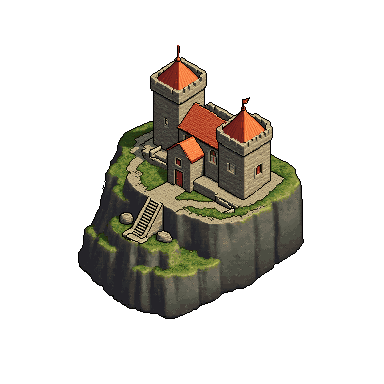
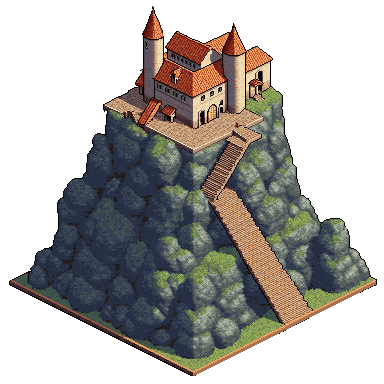
Prompt: a large fortified monastery built into a sheer mountain cliff, isometric three-quarter view, central stone keep, two side towers, terraced stairs, copper roofs, isolated with no scenery
| PixelLab A | PixelLab B | Retro Diffusion A | Retro Diffusion B |
|---|---|---|---|
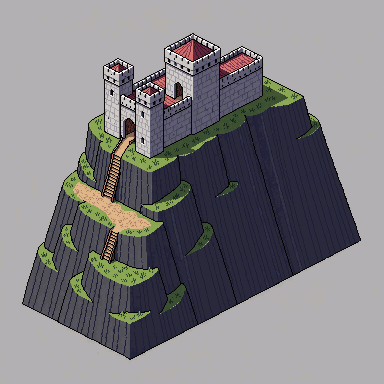 | 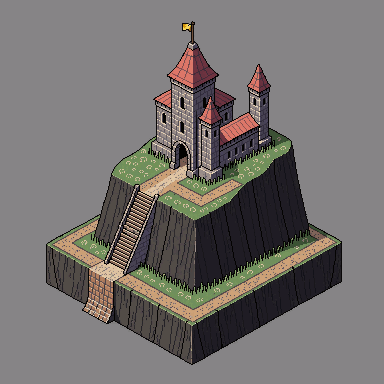 |  |  |
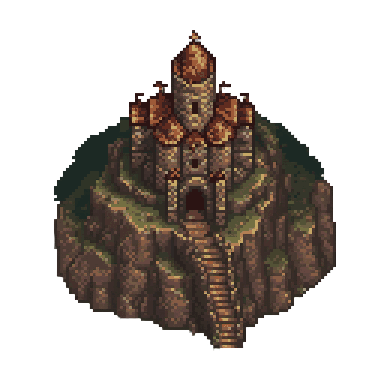
The larger canvas helped both providers. PixelLab used most of the frame and kept the cliff, stairs, central keep, and tower structure legible. Attempt B is the clearest match for a fortified monastery. Both outputs still include an opaque gray field, and their 246 and 249 colors would need deliberate cleanup for a tightly controlled palette.
Retro Diffusion improved markedly over its 256×256 observatory attempts. Both results read as substantial cliffside compounds, and attempt B makes good use of the full canvas. They are ready-to-place transparent cutouts with 75% and 52% transparent pixels and only 55 and 49 colors. PixelLab is more reliable on the exact architectural brief. Retro Diffusion is closer to a finished modular map asset.
Volcanic pass at 384×384
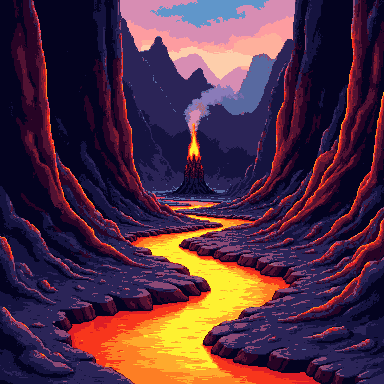
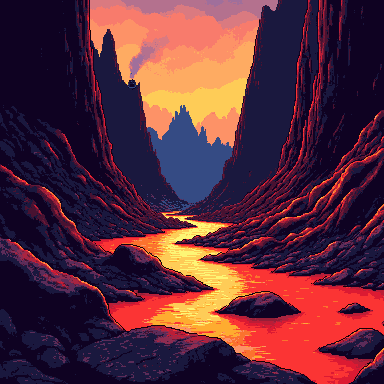
Prompt: a wide volcanic mountain pass at dawn, layered black peaks, glowing lava river, basalt fortress in the middle distance, smoke plumes, full-bleed parallax background with open sky
| PixelLab A | PixelLab B | Retro Diffusion A | Retro Diffusion B |
|---|---|---|---|
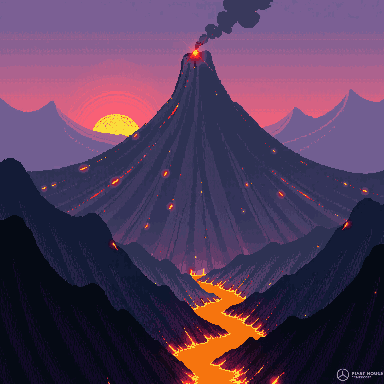 | 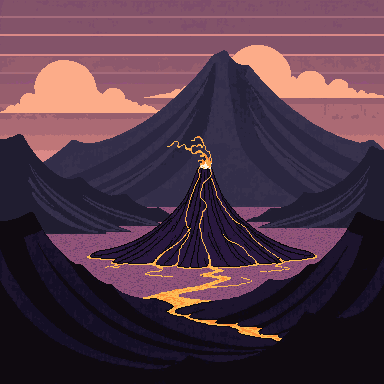 |  |  |
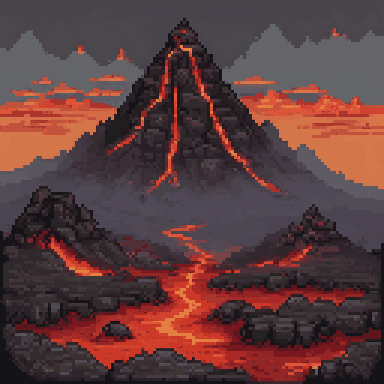
PixelLab produced broader compositions with open sky and visibly separated mountain planes. Attempt A includes the smoke plume and a clear volcano; attempt B simplifies the scene into a graphic basin. Neither attempt includes a recognizable fortress. Attempt A also contains a generated signature-like mark in the lower-right corner, so it is not usable without cleanup. The files use 44 and 26 colors.
Retro Diffusion made the pass and lava river unmistakable in both attempts. Its narrow canyon framing is strong for a scene the player enters, but it leaves less open sky and fewer obvious planes for a distant backdrop. It also dropped the fortress and most of the smoke detail. The files use 26 and 25 colors.
None of these four files is a finished parallax package. They are flattened, opaque scenes. PixelLab gives an artist clearer depth bands to cut apart; Retro Diffusion gives the stronger single-frame canyon. A production workflow should generate or extract the sky, distant peaks, middle ground, and foreground as separate assets.
ComfyUI SDXL extension
The local extension uses
SDXL Base 1.0
with Pixel Art XL. Both committed
workflows use core ComfyUI nodes, generate at 1024×1024, and finish with
nearest-exact reduction. There was no manual image edit or candidate choice.
| Mountain observatory, 256px | Cliffside fortress, 384px | Alpine valley, 256px | Volcanic pass, 384px |
|---|---|---|---|
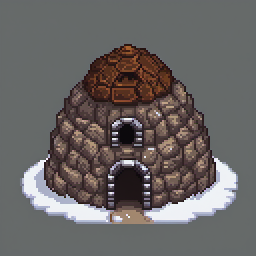 | 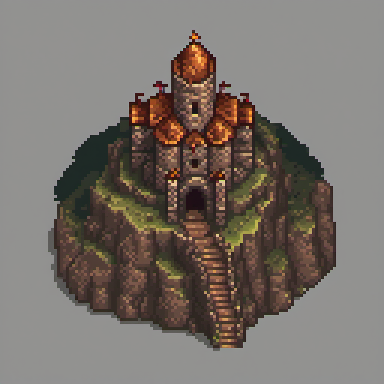 | 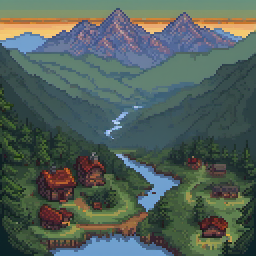 | 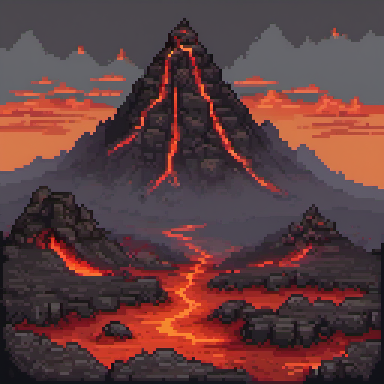 |
The observatory and fortress have the clearest architecture in this small sample. The fortress has a clear entrance, tower hierarchy, stairs, and a single readable footprint. The alpine scene keeps the river, village, tree line, and distant ridges separate. The volcanic scene has a readable lava path, but it drops the requested basalt fortress, the same prompt-coverage failure seen in both hosted providers. These composition strengths do not make the files finished pixel art.
The trade-off is production cleanup. All four ComfyUI PNGs are opaque. The two isolated files use 16,811 and 31,572 RGB colors, while the backgrounds use 36,248 and 50,985. They look pixelated because of the LoRA and nearest-exact reduction, but they are not indexed, low-palette sprites. Add explicit background removal, native-grid recovery, final palette quantization, and human review before treating them as game assets.
ComfyUI post-processing result
The follow-up graph keeps the generation settings fixed and changes only the cleanup nodes. BiRefNet removes the isolated backgrounds, and ComfyUI's core quantizer limits every image to 64 colors without dithering.
| Original observatory | Cleanup experiment | Original fortress | Cleanup experiment |
|---|---|---|---|
|  | |  |
| Original alpine valley | 64-color alpine valley | Original volcanic pass | 64-color volcanic pass |
|---|---|---|---|
|  | |  |
The cutouts retained their silhouettes while reaching 60% and 62% transparent pixels. They use 55 and 58 RGB colors instead of 16,811 and 31,572. The scenic images fell to 64 and 60 colors without losing their main depth bands. The committed post-processing project contains the workflows, manifest, audit commands, and provenance. These outputs still need native-grid recovery and final palette enforcement. They are not a finished production path.
ComfyUI resolution result
A second benchmark keeps the alpine brief and seed fixed while separating the model's generation canvas from the actual editable pixel grid.
| SDXL source | Recovered native art | Wide SDXL source | Recovered wide art |
|---|---|---|---|
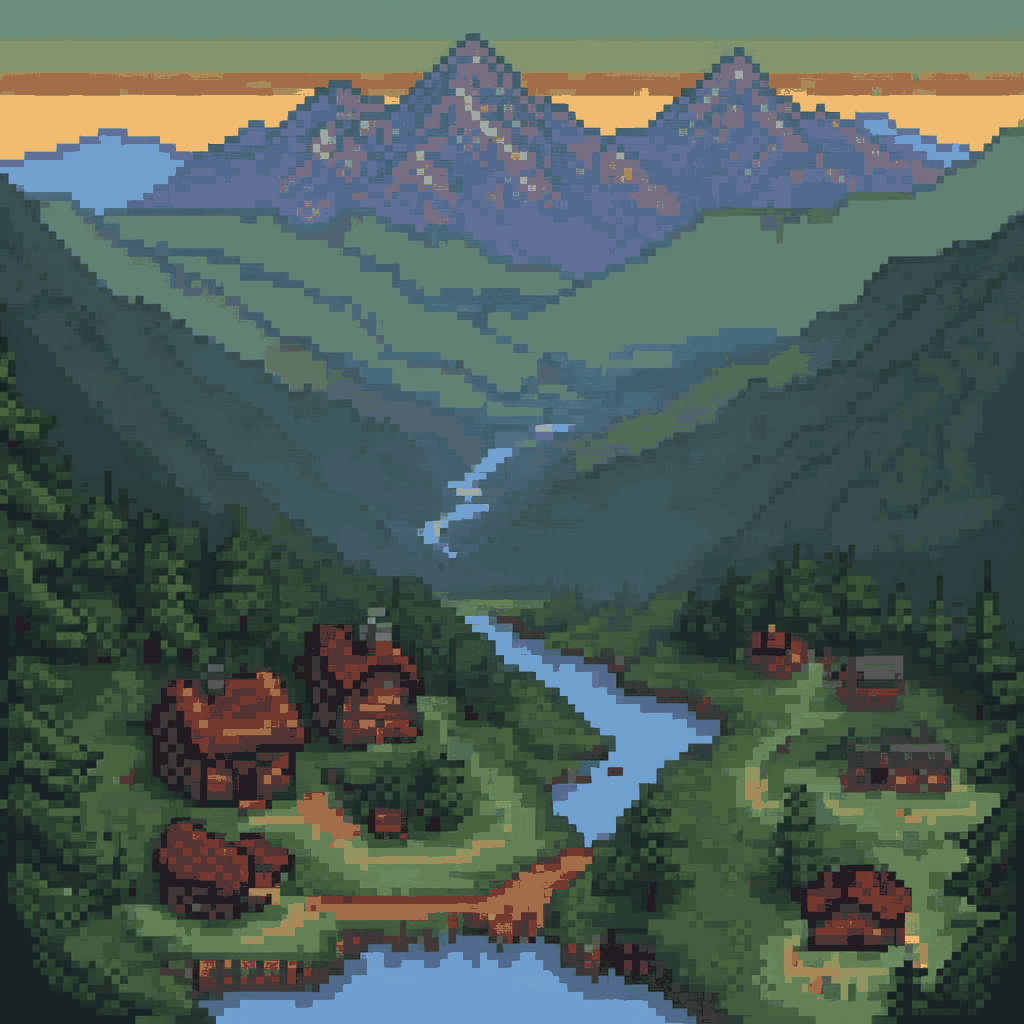 | 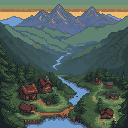 | 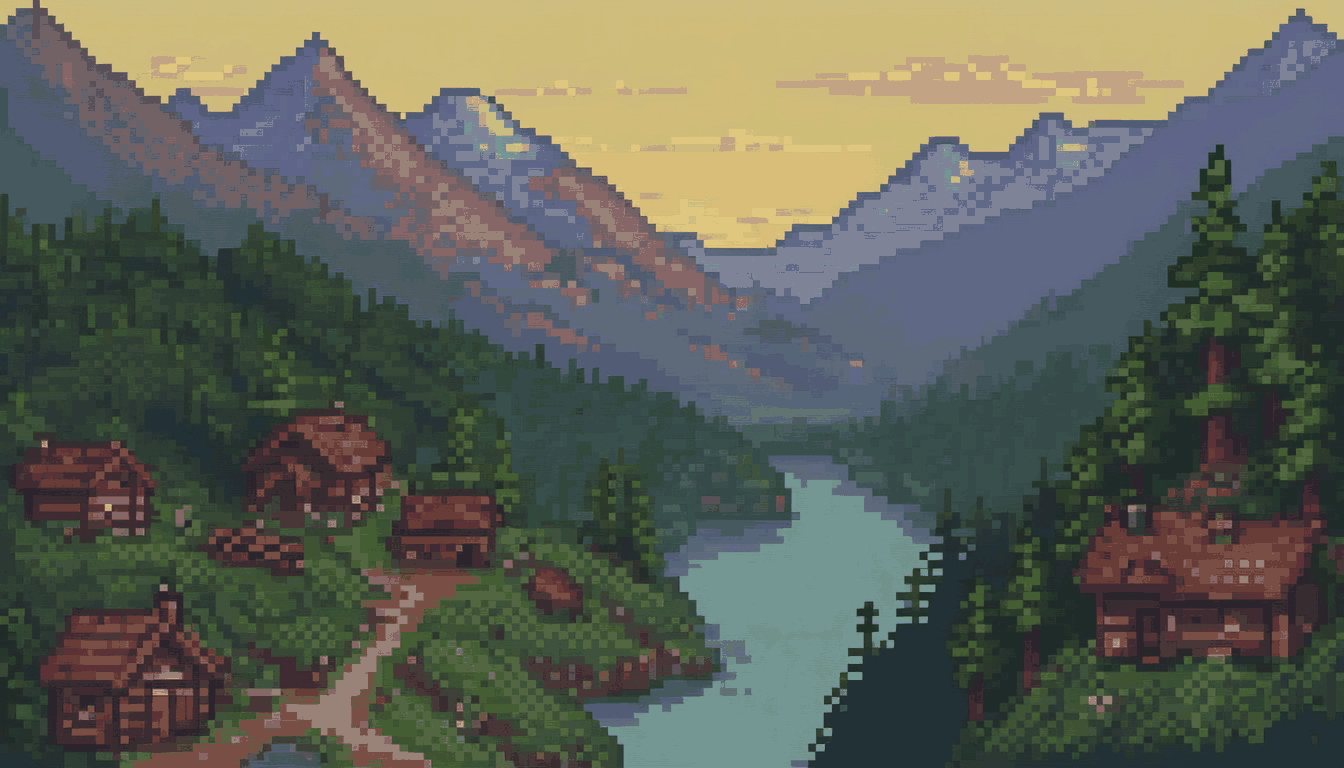 | 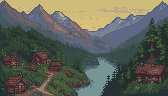 |
The 1024×1024 source carried an implied 8px cell and resolved to a 128×128 native grid. The 1344×768 source used the same cell step and resolved to 168×96. Retro Diffusion Pixel Art Fixer reported high-confidence consensus for both. The reconstructed outputs contain 48 colors and one stored pixel per recovered cell.
The provider-neutral refiner then ran the same pinned detector and applied one frozen 32-color environment palette without dithering:
| Recovered fortress | Final-palette fortress | Recovered valley | Final-palette valley |
|---|---|---|---|
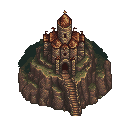 | 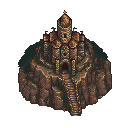 | | 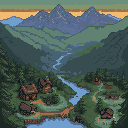 |
The final files use 15 colors for the transparent fortress, 24 for the square
valley, and 22 for the 168×96 wide valley. Each passed high-confidence grid,
native-dimension, palette ceiling, and transparency checks. Their checked-in
quality companions remain pending because an automated benchmark cannot
claim human approval.
The benchmark predates manifest-native quality profiles, so its commands name
each source and output explicitly. A project can now put the same palette,
confidence, transparency, and destination rules under style.quality, run the
batch with pixelkiln refine --style <id>, and make pack or mount wait for the
same per-file human approval. This changes workflow enforcement, not the visual
claim: these benchmark records stay pending.
CI checks those three final PNGs against the committed ComfyUI quality baseline. It catches dimension, palette, alpha, edge, isolated-pixel, image, and refinement-record drift without contacting a provider. The gate protects the published evidence from accidental regression; it does not promote these pending examples to approved art.
Those checks prove structure, not artistic quality. Grid recovery cannot repair a weak composition, painterly gradients, or muddy source clusters. The files remain review candidates, and the 1024px source is not a high-resolution pixel-art asset. With this model stack, use 48–128px native parts and assemble larger environments on one grid with one palette.
This invalidated our earlier 2048px nearest-neighbor result. That file duplicated the source raster, including its fake, softened cells. It was a larger delivery file, not better pixel art, and has been removed from the results.
Earlier 1536px and 2048px latent refinements also looked blurred. The extra interpolation and resampling softened the structure; color quantization could not repair it. The committed resolution project contains the two provider workflows, source outputs, native reconstructions, final-palette outputs, quality records, fixer report, audit instructions, and lock provenance.
Cost and operational results
| Provider | Successful images | Charged amount | Final balance |
|---|---|---|---|
| PixelLab | 10 | 10 generations | 4,411 generations |
| Retro Diffusion | 10 | $0.744 | $9.73 |
| ComfyUI | 10 | 0 free PixelKiln units | No account balance |
PixelLab charged one generation per image. Retro Diffusion quoted and charged $0.058 for each 256px RD Plus image and $0.099 for each 384px RD Plus image; PixelKiln's hard ceiling rounds the latter to $0.10 per image.
The run also caught two integration details:
- PixelLab's
mapendpoint rejected the literalisometricview. PixelKiln should document or validate the accepted values before submission. - Retro Diffusion rounded its live quote up from PixelKiln's formula result of $0.057768 to $0.058. PixelKiln now rounds offline estimates up to the live quote precision, so planning remains a safe ceiling.
Controlled revision benchmark status
The bundled comfyui/pixel-art-xl-img2img@1.0.0 workflow is not included in
the provider totals above. Its workflow integrity, content-addressed uploads,
bindings, stale-input checks, lock lineage, and source-versus-candidate review
have automated coverage. A live Apple MPS smoke also ran one fortress at
strengths 0.25, 0.4, and 0.6.
The pipeline passed; the art did not. The broad footprint survived all three runs, but the requested snow barely appeared. The outputs lost the source's 61.60% transparency and expanded from 15 colors to 4,208–5,224 colors. The committed smoke retains all prompts, PNGs, hashes, and lock provenance.
Before promoting the graph beyond experimental, replace or strengthen its conditioning and test at least one more subject family. Compare at 1× for silhouette retention, requested-change coverage, cluster clarity, alpha, palette size, and native-grid confidence. Until that broader A/B set passes, the recipe remains a transport example rather than a quality preset. See Controlled asset revisions.
All three manifests now pass doctor and report a current plan. The hosted
projects have ten healthy PNG cache entries each; the ComfyUI projects have
four baseline, four cleanup, and two resolution-test entries. Three additional
native-grid PNGs and three final-palette PNGs are deterministic post-processing
results, not provider jobs.
Recommendation
For large isolated buildings or landmarks, start with PixelLab when prompt coverage matters most. Budget for background cleanup. Start with Retro Diffusion when a transparent, low-color asset matters more than capturing every noun in a complex prompt. At 384×384, Retro Diffusion can fill the frame with a substantial structure rather than the compact cutouts seen in the first brief.
For full scenic backgrounds, start with PixelLab Pixflux. These two attempts were cheaper and more faithful to the brief. Try Retro Diffusion when you want foreground framing and a closer illustrated scene.
Try ComfyUI when local control and custom composition work matter enough to justify extra cleanup. The tested SDXL stack produced a strong building and layered valley, but its large files only imitated a pixel grid. PixelKiln now automates native-grid recovery, final palette enforcement, and the quality record; the graph is still not a production preset. A one-pass 1024px render took roughly 60 to 90 seconds on the tested Apple MPS machine. Run the provider-neutral refiner, then review prompt coverage and pixel clusters by hand. The tested latent-upscale passes blurred the art, while nearest-neighbor scaling only duplicated its pseudo-pixels.
Do not choose the current ComfyUI stack only because it has no provider charge. It carries the most local setup and manual validation in this comparison. Test any proposed prompt pattern on at least two scene families; a universal cleanup prompt can improve one subject while degrading another.
Do not ask any provider for one giant finished level. Generate terrain, background, buildings, landmarks, and foreground pieces separately. Normalize them to one native grid, compose at 1×, then use integer nearest-neighbor scaling for display.
Two attempts reveal patterns, not universal rankings. They do not cover every style, prompt family, or model update. The volcanic brief shows the limit plainly: every provider dropped the requested fortress. Rerun the committed manifests when a provider or local model changes.