
One skeleton, every pose.
Estimate a character's 18 joints from a sprite, check them over the art, and use them everywhere a pose is needed: animations from your own poses, loops through PixelLab's stored skeleton, held items pinned to a hand, OpenPose maps and 3D rigs.
Skeletons guide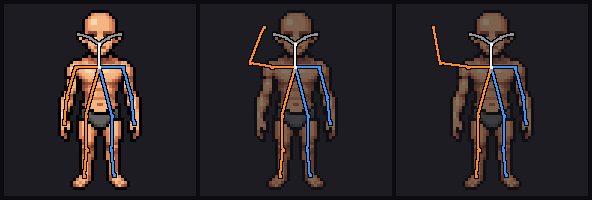

pixelkiln skeleton-preview: the pose PixelLab estimated from the sprite, at full strength, with both arms down at its sides as they are in the picture, then the eight poses edited from it into a wave, each over a dimmed copy. Orange is the figure's right side, blue its left. Drawn locally, for nothing.One skeleton, everywhere a pose is needed.
A skeleton is 18 points: nose, neck, ears and eyes, and each shoulder, elbow, wrist, hip, knee and ankle. PixelKiln estimates one from any sprite, draws it over the art so you can check it, and keeps it as a JSON file you can edit and commit.
The same 18 points then do several jobs. They pose an animation frame by frame. They find the hand to pin a sword to in every frame of every walk. As an OpenPose map they pose frames drawn on your own GPU, and in the 3D research they become a rig. Each tool reads the skeleton the same way.
-
estimate-skeletonreads the 18 joints from a square sprite (16 to 256px) for 0.1 generation. -
skeleton-previewdraws every pose over the art, locally, so a wrong elbow is caught before anything is paid for. - An
animate-skeletonrevision turns 3 to 15 poses into frames: eight at 64px billed 3 generations. - A
skeleton-v3loop poses the 3D skeleton PixelLab keeps for a v3 character, from a template or a sentence: 3 generations a direction. -
anchorsrecords the skeleton of every frame once per character, and every held item reads it.
// pixelkiln estimate-skeleton base-south.png \// --out poses/estimate.json --frames 8// (edit the eight poses, check them with skeleton-preview)"base-wave": {"prompt": "wave","revision": {"mode": "animate-skeleton","from": "base","keypointsFile": "poses/wave.json","direction": "south","description": "bald figure in grey briefs" } }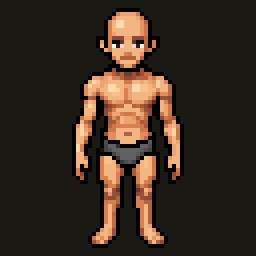

animate-skeleton. 8 frames at 64×64, 3 generations.Where the skeleton is used.
These are the places a skeleton turns up in PixelKiln, in the order a character usually meets them. The first two are free; the rest say what they cost.
Estimate and correct
Estimating a skeletonpixelkiln estimate-skeletonwrites the pose and copies of it to move; the gallery's + Skeleton animation form does the same and declares the revision. Check the starting pose first: PixelLab redraws it to learn the sprite's colours, and a pose that does not match the picture degrades every frame without an error.Animate from your poses
An
Animating from posesanimate-skeletonrevision draws one frame per pose you set. You control the motion exactly; the poses are yours to commit and review.Animate through the character's own skeleton
A
Characters and loopsskeleton-v3loop poses the 3D skeleton PixelLab keeps with a character drawn on the v3 engine. Astandardbase has none, soplanrefuses it. You never see those joints; PixelLab moves them from a template or a sentence.Pin items to a hand
A held item in a paperdoll is a sprite placed on the hand, a little past the wrist, in every frame.
Paperdoll layerspixelkiln anchorsestimates each frame's skeleton once per character: 56 frames cost 5.6 generations, placing costs nothing, and the sword stayed in the right hand in all 56.Pose frames on your own GPU
With ComfyUI, an OpenPose ControlNet poses each frame from an OpenPose map: the same 18 joints drawn as coloured limbs. A recipe for this is in progress; the maps have to keep scale, camera and ground line fixed across a set.
Pose mapsRig a 3D model
The 3D research builds a mesh from the eight drawn directions, binds it to a skeleton and drives it with motion. It is research, not a command yet, and the notes show every step.
See the 3D characters
More pixels, more skeleton.
The 18 joints stop at the wrist, and on a 64px sprite that is all a hand has room for. At 128px a hand points somewhere; at 256px, the size of the bodies the 3D work starts from, it has knuckles and a separate thumb. So the skeleton should grow with the sprite: hands matter for a character that grips a sword or a staff, and for one drawn as the source of a 3D model. Hand points are not estimated by anything yet; the yellow ones below were read off the drawing.
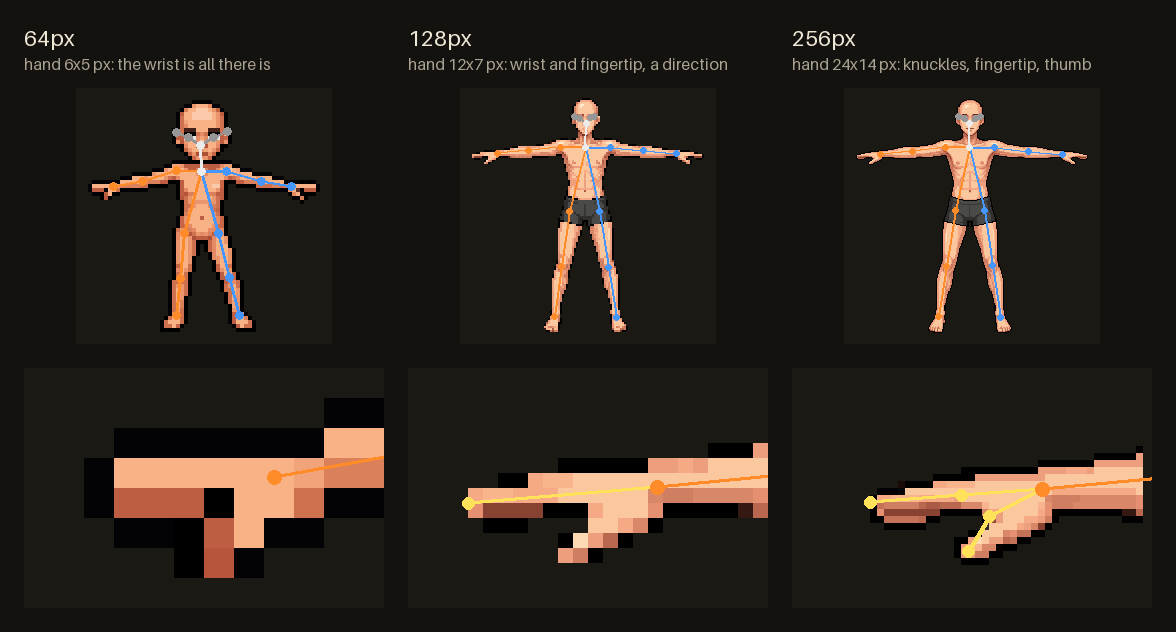
estimate-skeleton. Even at 256px the four fingers are one block, so four hand points is what it can honestly carry.| Sprite | Hand past the wrist | It can carry | Skeleton that fits |
|---|---|---|---|
| 64px | 6 × 5 px | the wrist | The 18 joints. Items are pinned a little past the wrist. |
| 128px | 12 × 7 px | which way the hand points | 18 + 1 per hand: turn a held sword the way the hand points. |
| 256px | 24 × 14 px, thumb apart | knuckles, fingertip, thumb | 18 + 4 per hand: close a hand around a handle; a 3D rig with a thumb and one finger chain. |
| larger | each finger drawn | every finger joint | 18 + 21 per hand (OpenPose, MediaPipe); 15 finger bones per hand (Godot, VRM). |
Finding the hand points.
Two tools were tried on the same three hands. PixelLab's custom skeleton (a beta MCP tool, 1 generation) adds a hand, fingers and a thumb to the rig by itself when told the figure grips something. MediaPipe's Hand Landmarker runs on your own machine for nothing. At 256px MediaPipe was closest, missing by 7 to 9% of the hand's length against PixelLab's 10%, and found the hand every time. At 128px it found it only at the sprite's own size or doubled. At 64px it found nothing, and PixelLab's points were close to a guess.
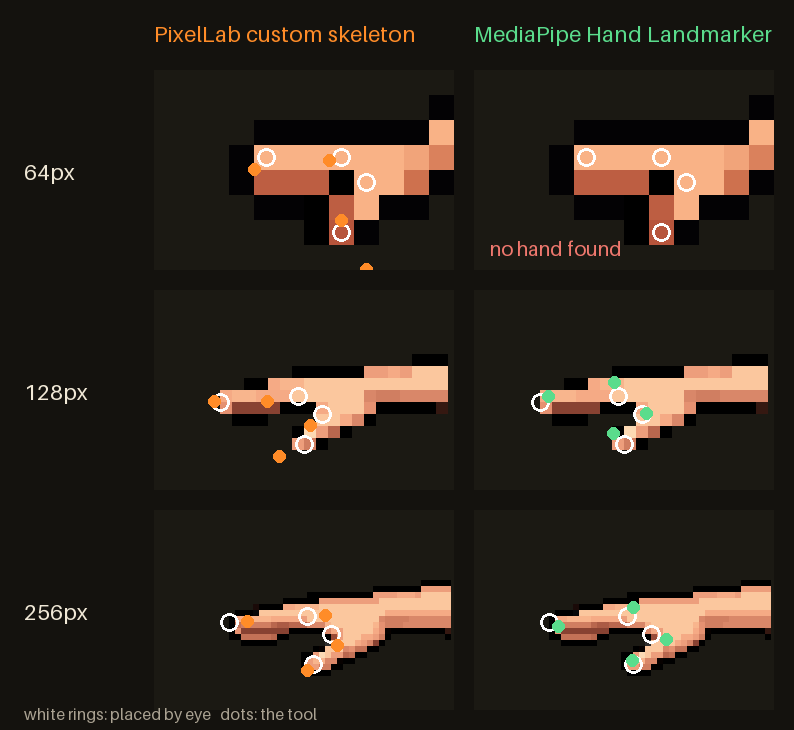
Which libraries and engines take which skeleton, with their licenses, is in the guide's formats table: OpenPose and MediaPipe use 21 points a hand, Godot and VRM 15 finger bones, and PixelLab none.
Staffs, swords, capes and hats.
A body skeleton knows nothing about what a character carries or wears, yet those parts decide how it animates: a staff is rigid and follows the hand, a cape hangs from the shoulders and bends. Asked about a wizard swinging a staff or a knight with a cape, PixelLab's custom skeleton (a beta MCP tool, 1 generation) added joints for every prop by itself. MediaPipe, free on your own machine, knows only bodies, but its masks separate the body from a cape and clothes from accessories: a first guess at what may bend.
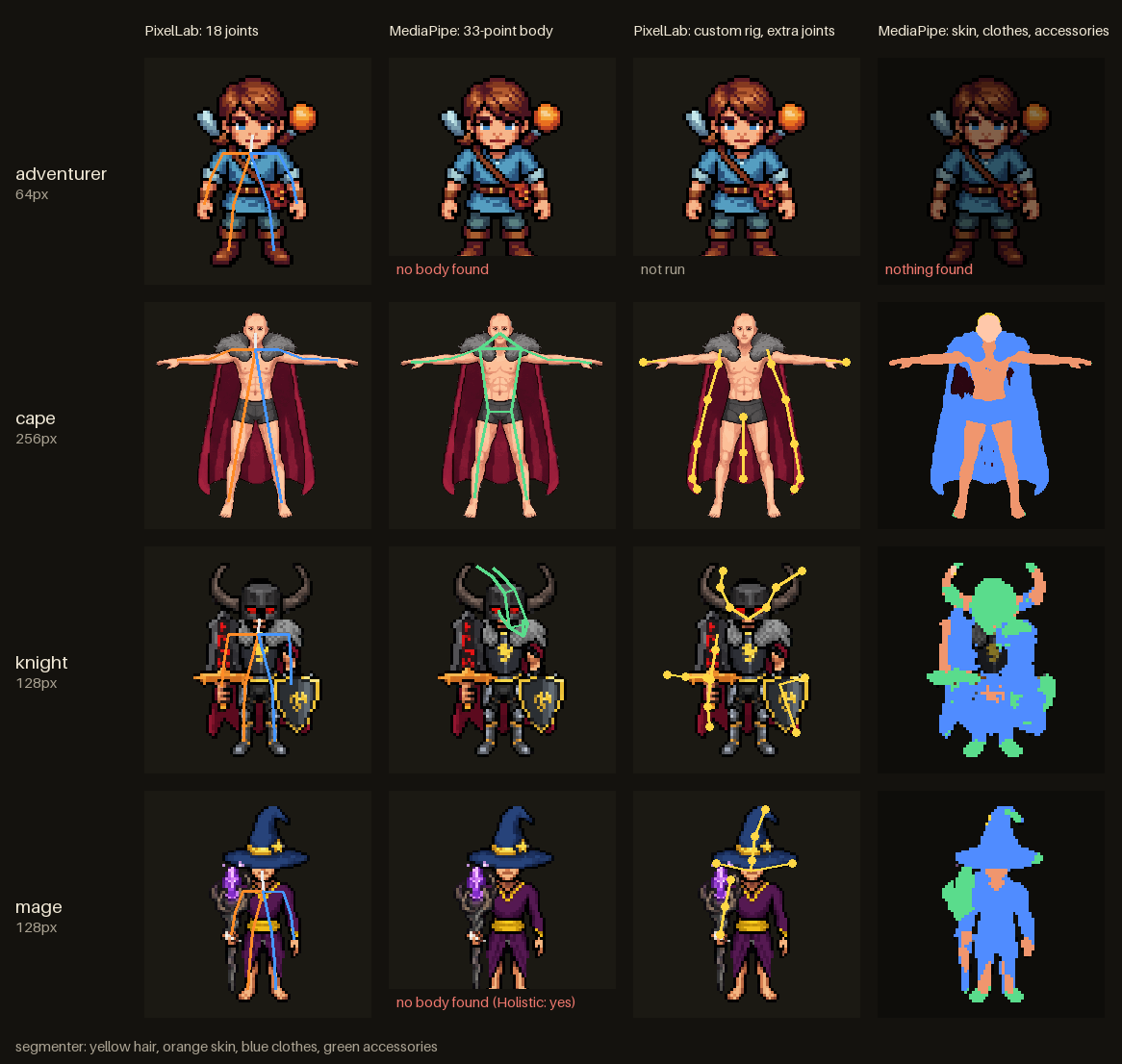
- Props and capes: PixelLab's custom skeleton. Rigid items hang from the wrist, capes from the shoulders and hips.
- Bodies at 256px: MediaPipe, free. Its Holistic model returned body, both hands and 478 face points in one call.
- Depth for 3D: MediaPipe gives every body point a 3D position; PixelLab's joints are flat.
- MediaPipe misses small and heavily dressed characters. Check every estimate over the art before animating from it.
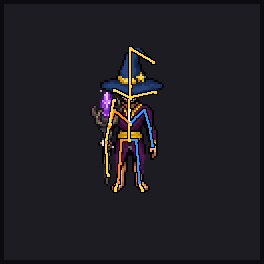
estimate-skeleton --custom on the mage: 26 joints, a staff from the hand and a hat with a brim. 1 generation.
writeMotionFrames: 8 and “swinging the staff overhead”: PixelLab wrote the motion and drew 8 frames. The staff stays one piece. 3 generations.The full comparison covers every figure, how each part maps onto 3D rigs and engines, and what was not tried.
Free tools on your own machine.
Two open-source tools were tried on the same sprites. rtmlib's RTMW model found a body on every figure, 64px included, in a third of a second on a laptop CPU, and was the closest of the free tools on 256px hands. It still read the knight's horns as raised arms. SAM 2.1 cut out the sword and the staff from one click each, and the long axis of each mask is the prop's bone; it could not cut out a cape.
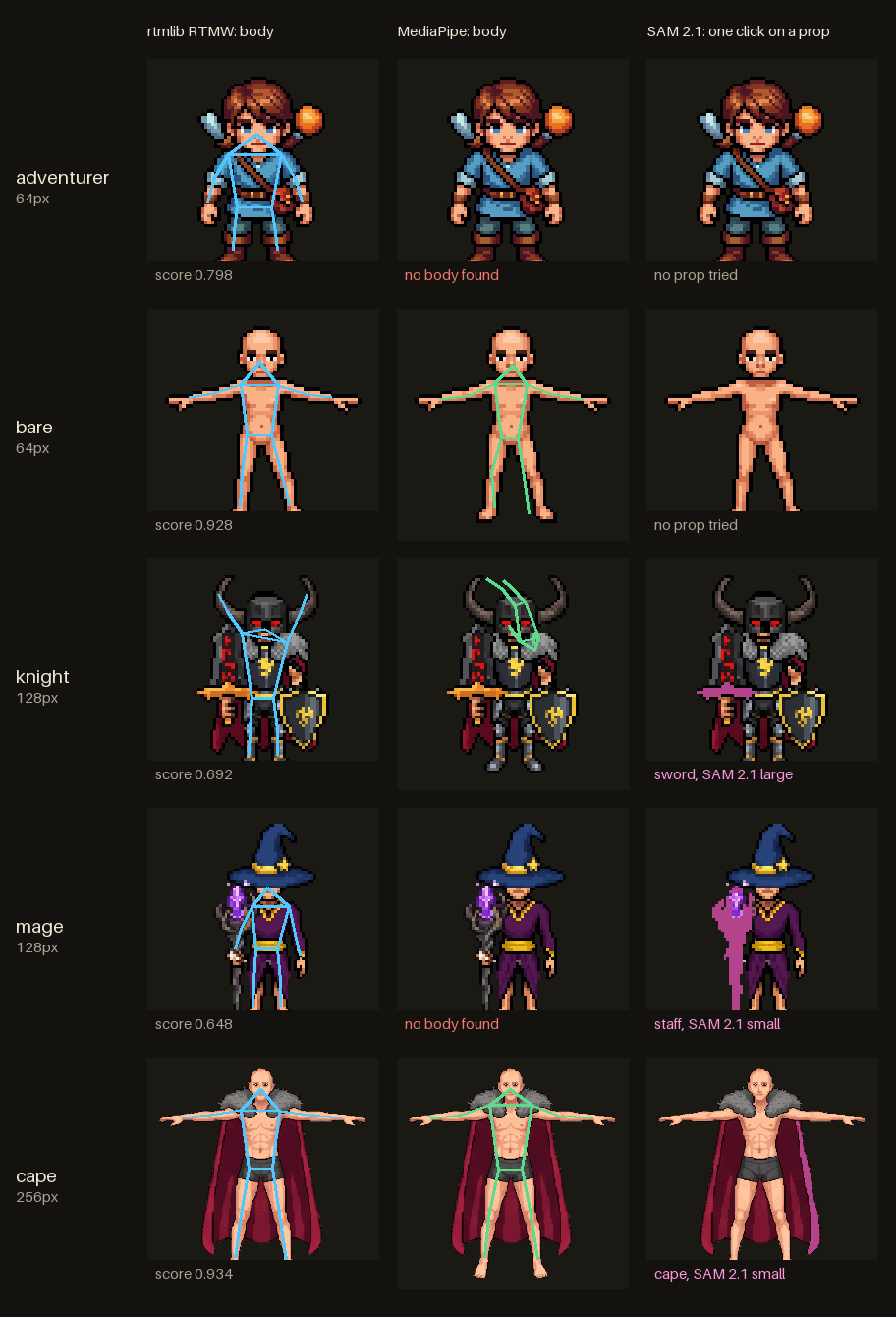
The guide has every score, the licences, and which tool to use for which job.
The 18 joints.
PixelLab and OpenPose name the same 18 points, so a pose made for one converts to the other. PixelLab keeps each as {label, x, y, z_index} with x and y from 0 to 1; OpenPose draws them as an image, telling left from right by colour. Right is the character's own right: facing you, its right hand is on your left. ARM is the wrist and LEG the ankle.
| Joint | PixelLab label | OpenPose index |
|---|---|---|
| nose | NOSE | 0 |
| neck | NECK | 1 |
| right shoulder, elbow, wrist | RIGHT SHOULDER, RIGHT ELBOW, RIGHT ARM | 2, 3, 4 |
| left shoulder, elbow, wrist | LEFT SHOULDER, LEFT ELBOW, LEFT ARM | 5, 6, 7 |
| right hip, knee, ankle | RIGHT HIP, RIGHT KNEE, RIGHT LEG | 8, 9, 10 |
| left hip, knee, ankle | LEFT HIP, LEFT KNEE, LEFT LEG | 11, 12, 13 |
| eyes | RIGHT EYE, LEFT EYE | 14, 15 |
| ears | RIGHT EAR, LEFT EAR | 16, 17 |
Which skeleton is which.
Five skeletons share those 18 joints, and they are kept in different places. The files are local, so PixelKiln hashes and checks them. A stored 3D skeleton never leaves PixelLab, so PixelKiln cannot show or edit it.
| Skeleton | Where it lives | Who moves it |
|---|---|---|
| A keypoints file | Committed JSON beside the manifest | You, joint by joint |
| An anchors file | Committed JSON, one entry per frame | Nobody: it records where the joints already are |
| PixelLab's stored 3D skeleton | Your PixelLab account, with a v3 character | PixelLab, from a template or a sentence |
| An OpenPose map | A committed PNG per frame | You, or a script |
| A 3D rig | A .glb from the 3D research: 21 humanoid bones, a thumb and one finger chain a hand, plus chains for a cape | Stock animations carried over from a library; a cape's swing stored in each |
More of PixelKiln.
- How it worksOne manifest, a price before you spend, and a record of every paid file.
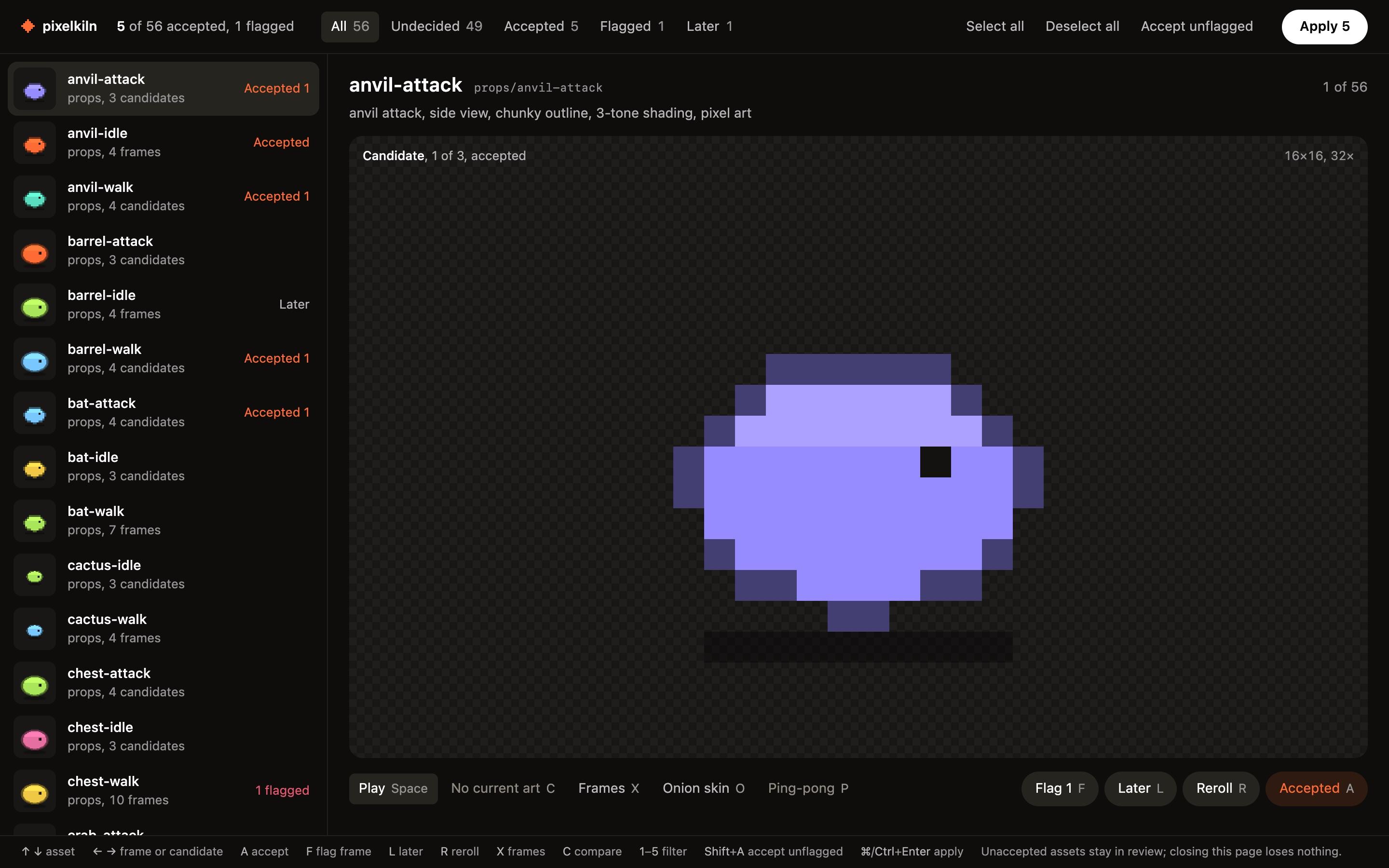
- Review and galleryPick candidates, touch sprites up in the browser, and approve the exact pixels.
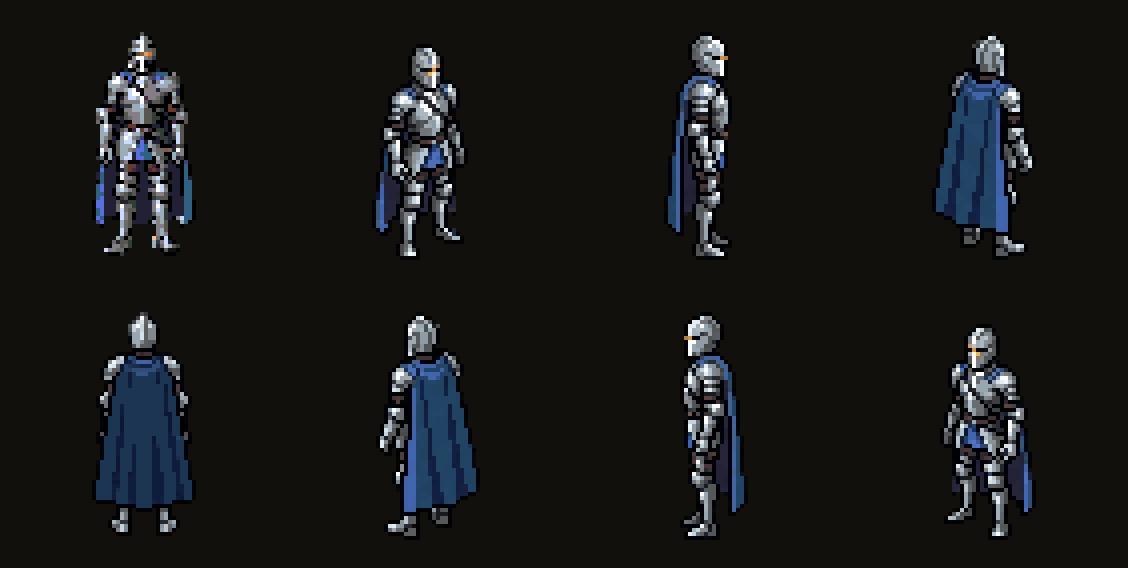
- Characters and loopsA base in eight directions, then every animation drawn from it.
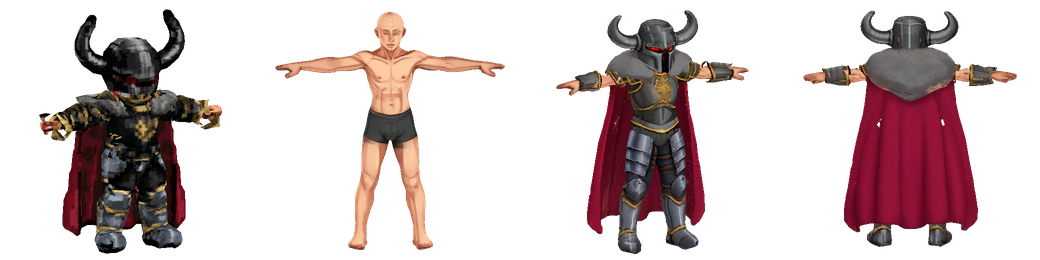
- Paperdoll layersOutfits, hair, held items and skin tones as separate layers over one body.

- 3D charactersRigged, animated 3D models built from directional sprites, body and items apart.
- EffectsAuras, lightning, shields and hits as frames a game can play, built around your sprite or placed by a pivot, free.



- Tiles and terrainDescribe a border, get every tile that meets it, and export the set to Tiled, Godot or LDtk.
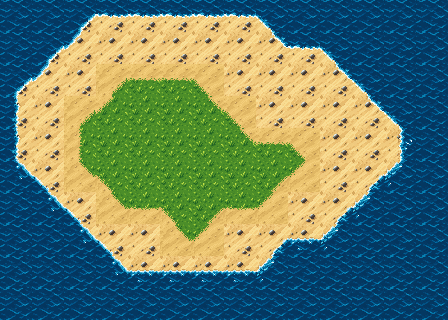
- Providers and costsPixelLab, Retro Diffusion, ComfyUI and Scenario, measured on the same prompts.


Teach your agent PixelKiln.
The skill tells compatible agents when to plan, when to ask for a budget, when to restore existing work, when to stop for human review, and how to verify output.